General
A quick-access hub for common questions covering the basics of using Heatpunk.
- Is there training available?
- Can I pay Heatpunk to design a project for me?
- Are Midsummer trade discounts reflected within Heatpunk?
- How can I share projects with others?
- I have an idea for a future update
- How do I do a hard refresh of my browser?
- How do I change my email address?
Is there training available?
Absolutely! We run free, online training sessions weekly, covering Heatpunk, Heatpunk Pro, Shrunk Punk and Lead Generation. You can book onto our training sessions here.
If you have any questions, you can also contact us at help@heatpunk.co.uk.
Can I pay Heatpunk to design a project for me?
No, this is not a service we offer at Heatpunk, but if you’re struggling to use the software, you can always come to one or more of our free training sessions or email us at help@heatpunk.co.uk!
Are Midsummer trade discounts reflected within Heatpunk?
Heatpunk and Midsummer accounts can be linked for accurate pricing.
Unless a trade link is established, Heatpunk displays retail pricing as standard. See our guide on Connecting to Midsummer to link your two accounts.
How can I share projects with others?
Sharing projects is available with a Heatpunk Pro license. To share a project, go to the project and select the share icon.
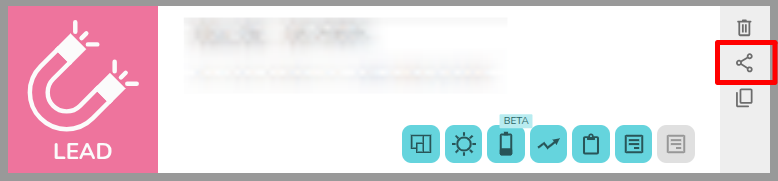
See this guide for detailed instructions: Share projects and components
I have an idea for a future update
Great! We're always keen to hear from our users. Heatpunk has been developed by heat experts for heat pump installers. Updates go live on a regular basis, so get in touch via help@heatpunk.co.uk and share your feature requests.
How do I do a hard refresh of my browser?
Sometimes your browser may store old versions of the Heatpunk code and this can cause issues. A hard refresh clears your browser cache for a specific page, which forces it to load the most recent version of that page. This could include new scripts, styles or features. Here's how you can clear your cache through a hard refresh on any browser:
Google Chrome
- Load any page on the Heatpunk site and make sure you are logged in
- Windows users: hold down Ctrl and then press F5 on your keyboard (alternatively hold down Ctrl + Shift and press R on your keyboard)
- Mac users: hold down Cmd and Shift and then press R on your keyboard
Firefox
- Load any page on the Heatpunk site and make sure you are logged in
- For Windows users: hold down Ctrl and then press F5 on your keyboard
- Mac users: hold down ? Cmd and ? Shift and then press R on your keyboard
Safari (Mac)
- Load any page on the Heatpunk site and make sure you are logged in
- Go to Safari > Empty Cache, or hit Opt + Cmd + E
- To refresh, click the refresh button on the address bar or press Cmd + R
Microsoft Edge/Internet Explorer (Windows)
- Load any page on the Heatpunk site and make sure you are logged in
- Hold down Ctrl and then press F5 on your keyboard (alternatively hold down Ctrl + Shift and press R on your keyboard)
Important: Clicking the "Refresh" icon on your browser address bar is not a hard refresh.
How do I change my email address?
Note: the link will expire after 15 minutes. If you do not click in within that time you will need to generate another verification link.