Performance and Consumption Task
Common questions about the Heatpunk performance and consumption tasks.
- Error: Couldn't get heat pump capacity: ODT out of range
- Where can I find the solar and battery details in Easy PV?
Error: Couldn't get heat pump capacity: ODT out of range
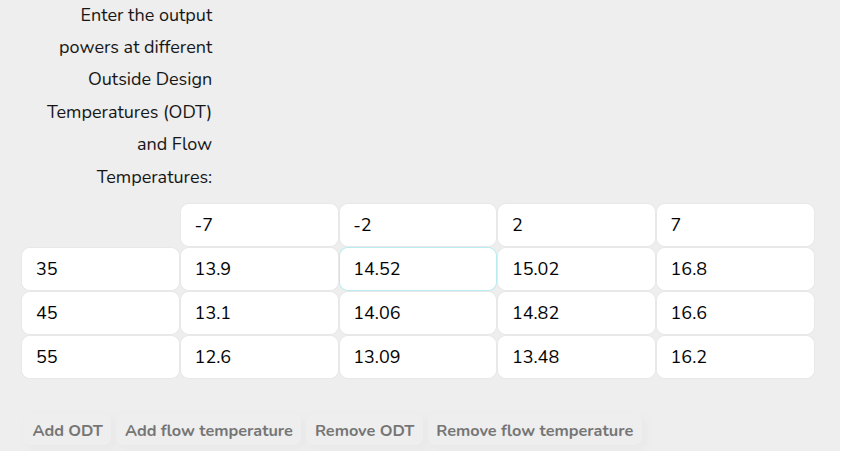
This error will usually occur when you have set up a custom heat pump with some missing values.
The performance task uses an ODL (outdoor low temp) which is lower than the standard project ODT in Heatpunk. This can mean it works fine in the previous task but then there is an issue in Performance.

To solve this, go to the heat pump in My Components. You will need to ensure that the table goes down to -7 degrees to make sure it works in every location. You should be able to find the values you need in the datasheet.
Still Need Help?
Contact Support: If you've got further questions, get in touch with our support team at help@heatpunk.co.uk (UK) or help@heatpunk.ie (IE). If you are experiencing a bug, to help us look into your issue faster, please include the email address of your account, the name of the project and screenshots of any unexpected behaviour.
Where can I find the solar and battery details in Easy PV?
If you're modelling solar and batteries in the Consumption task and also modelling the project in Easy PV, you can find all the required information in your Easy PV project.
Solar
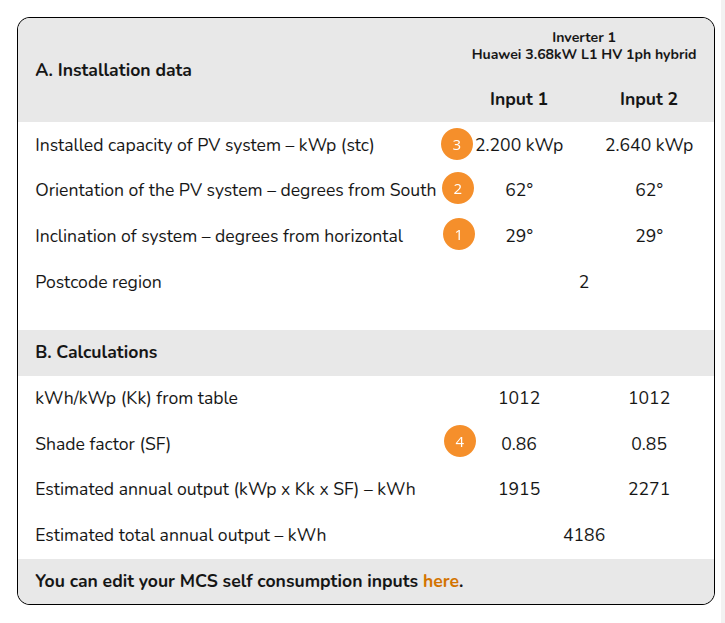
Navigate to the Performance task > Performance results:

Then for each roof or input:
- Pitch
- Orientation
- Array size
- Shading: subtract this value from 1 and multiply by 10, then select closest value
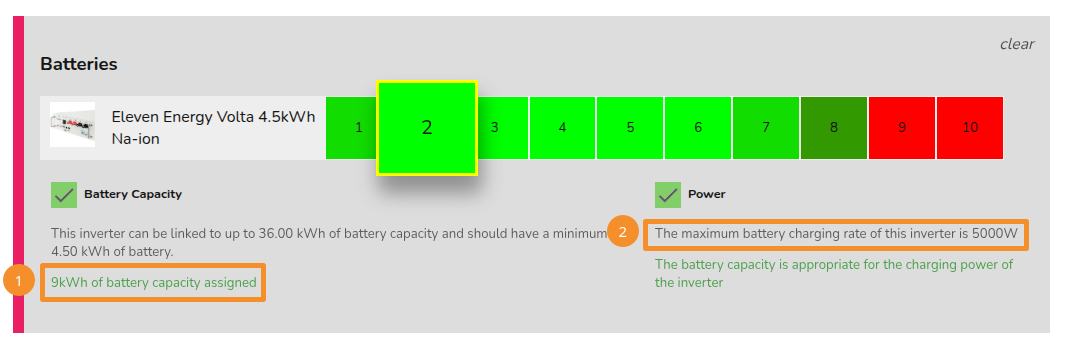
Battery
- Capacity
- Max charge rate