# How can I choose between the 99th and 99.6th percentile outdoor design temperature (ODT)?

<span class="corp-pill pill-uk mceNonEditable" style="user-select: none;"><span class="corp-flag material-symbols-rounded">​</span>heatpunk.co.uk</span>*This guide applies to Heatpunk UK.*

---

### Choose default for all new projects your Pro team make:

<span class="corp-icon material-symbols-rounded icon-prosettings mceNonEditable" style="user-select: none;">​</span>*For* *Pro teams only*

An **admin or owner** can navigate to **Pro Account Settings** &gt; **Design** &gt; **view and edit** default temperatures.

With either postcode lookup or zone lookup selected, you can use the **toggle** to switch between 99th percentile coldest outdoor dry bulb temperature and 99.6th percentile coldest outdoor dry bulb temperature. The default will be the 99th percentile. Click **confirm**.

[![Screenshot From 2026-10-08 10-16-57.png](https://help.heatpunk.co.uk/uploads/images/gallery/2026-10/scaled-1680-/KSHy2Nc9CW01Qlrv-screenshot-from-2026-10-08-10-16-57.png)](https://help.heatpunk.co.uk/uploads/images/gallery/2026-10/KSHy2Nc9CW01Qlrv-screenshot-from-2026-10-08-10-16-57.png)

<p class="callout info">**Note**: Your **Pro team's design settings take priority** over your individual user's design settings. </p>

---

### Choose default for all new projects you make as an individual user:

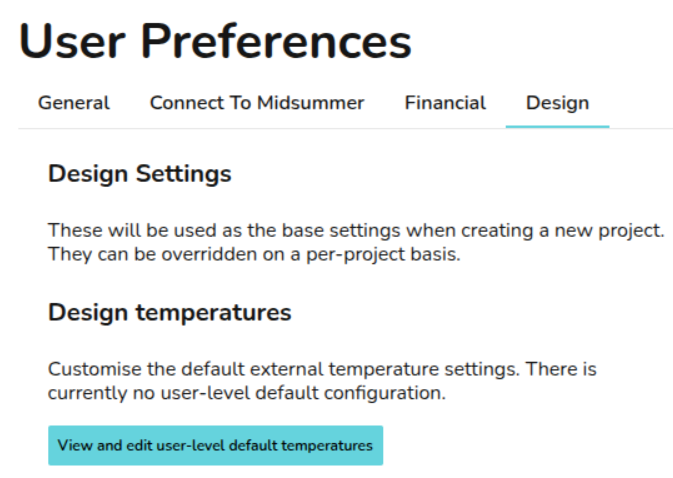
Navigate to **My account** &gt; **Preferences** &gt; **Design** &gt; **View and edit user-level default temperatures**. Then you can use the toggle as above before clicking confirm.

<p class="callout info">**Note**: For individual users not in a Pro team, these settings will apply by default to all new projects you create, unless individual project values are adjusted. </p>

[![image.png](https://help.heatpunk.co.uk/uploads/images/gallery/2026-10/scaled-1680-/FwUd0ZV284VvRG7N-image.png)](https://help.heatpunk.co.uk/uploads/images/gallery/2026-10/FwUd0ZV284VvRG7N-image.png)

---

### Choose setting for one project:

In your project, navigate to the Plans task. Click the 3 dots in the top right corner to view more options then select **Temperature configuration**. Then you can use the toggle as above before clicking confirm.

<p class="callout info">**Note**: This overrides Team and User settings, letting you change temperatures on a per project basis when needed.</p>

---

<p class="callout info">**Note**: In the Performance task, the **outdoor low temperature** uses the 99.6th percentile, regardless of which ODT is selected.</p>

<span class="corp-icon material-symbols-rounded icon-readmore mceNonEditable" style="user-select: none;">​</span>Find out more about [how the ODT is set](https://help.heatpunk.co.uk/books/faqs/page/how-is-the-outdoor-design-temperature-odt-set).

<span class="corp-icon material-symbols-rounded icon-readmore mceNonEditable" style="user-select: none;">​</span>Find out more about [how to change the ODT](https://help.heatpunk.co.uk/books/faqs/page/how-do-i-change-the-outdoor-design-temperature-odt-for-my-project "How do I change the Outdoor Design Temperature (ODT) for my project?").