10. Managing surveys, troubleshooting & FAQs
Managing surveys on your device
- Find & filter: Open the
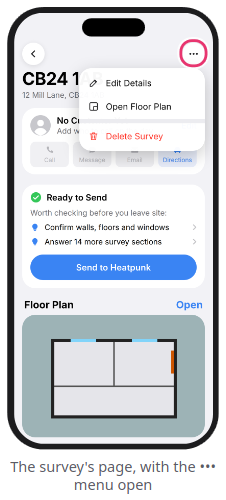
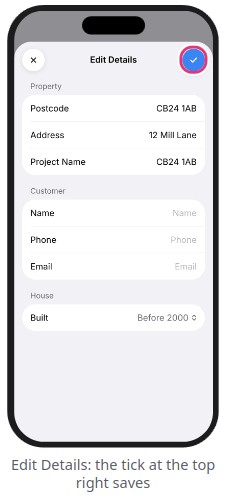
Surveystab to filter by status (Not Scanned,Needs Attention,Ready to Send,Sent), toggle between Gallery and List views, or use theSearchtab to find a postcode or customer name - Edit details: Open a survey, tap
...>Edit Details, make your changes, and tap theblue tick - Delete surveys: Open a survey and tap
...>Delete Survey(or tap...>Select Surveyson the Surveys tab to bulk delete). Surveys already markedSentremain safely in your Heatpunk web account when deleted from your phone
Warning: Deleting a survey that has never been sent to Heatpunk permanently erases it—always upload your survey first.
FAQs
Expand the sections below for information on common scanning, sending, and account questions
❓Two rooms merged into one during a LiDAR scan
Wide openings between spaces or very cluttered floors can cause two rooms to read as one. Fix this on the floor plan by resizing the room in the Room Editor, or close the door between the rooms and re-scan them separately.
❓The floor plan looks slightly skewed
Scans can occasionally drift by a degree or two, and the app automatically straightens slight offsets. Deliberately angled walls (such as bay windows) are left angled on purpose. If a room is still slightly off-square, select it on the floor plan and tap Square Up on the room card.
❓Inner walls are missing when I open the project on the Heatpunk website
Your rooms uploaded properly—the web floor plan simply calculates internal partition walls after a room is adjusted. On the Heatpunk website's floor plan, drag any room slightly and drop it back into place; all internal walls will appear.
❓The app says "Key not accepted" or asks me to "Reconnect"
Your device key was removed on the website or your Pro subscription ended. Generate a new QR code under My Account > Preferences > Heatpunk App on a computer, then open Settings in the app and tap Reconnect. Your existing surveys remain safely on your phone.
❓I got a new phone
First, send any unsent surveys from your old phone—they are stored locally on that device and are not in Heatpunk yet. Then log in to the Heatpunk website, click Remove next to your old phone under Your devices, and generate a new QR code to connect your new phone.
Reporting issues & contacting support
-
In-app tips: Go to
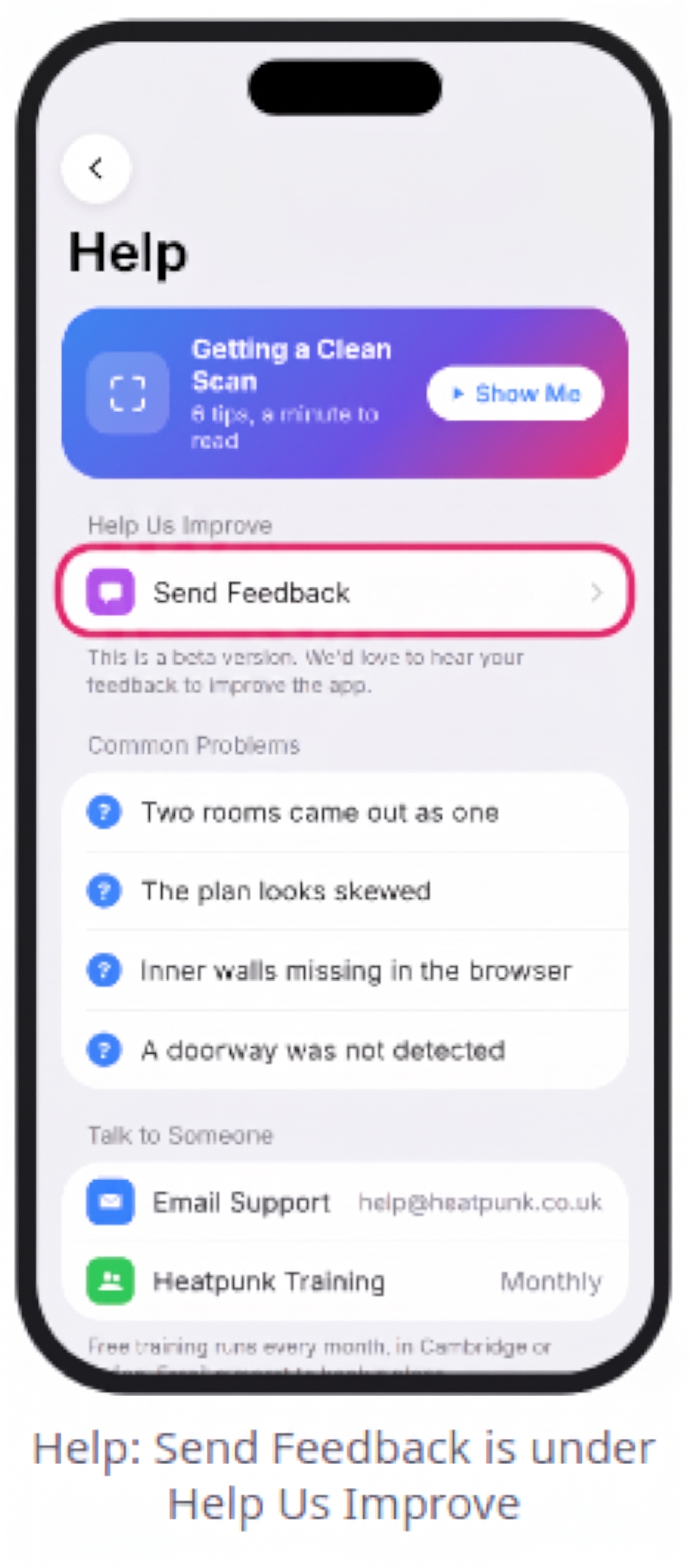
Settings>Help & Support>Getting a Clean Scan>Show Mefor a quick 6-step refresher - Send Feedback / Report a Bad Scan: In
Settings>Help & Support, tapSend Feedback(to attach diagnostic logs) orReport a Bad Scan(to attach the raw scan.zipfile). Neither report includes customer personal details - Email Support: Contact help@heatpunk.co.uk with your account email, survey Reference (
#HP-...), device model, and the app Version (found inSettings)
Still Need Help?
Contact Support: If you've got further questions, get in touch with our support team at help@heatpunk.co.uk (UK) or help@heatpunk.ie (IE). If you are experiencing a bug, to help us look into your issue faster, please include the email address of your account, the name of the project and screenshots of any unexpected behaviour.