If you select *No Presets*, you can build a palette from scratch but this will not save to your material library. Click *Manage palettes* in the top right to navigate to your material library to [create default palettes](https://help.heatpunk.co.uk/books/plans-task/page/managing-your-material-palettes-and-library#bkmrk-creating-new-palette) or edit existing ones.
### **Using a palette in a project** When creating your floor plan, the **default** (starred) materials will be used for each external wall, internal wall, floor, etc. Each material has a **key** (patterned square) so you can see where each is being used in the floor plan. Click on each component to **view the full material details** and **make changes**.[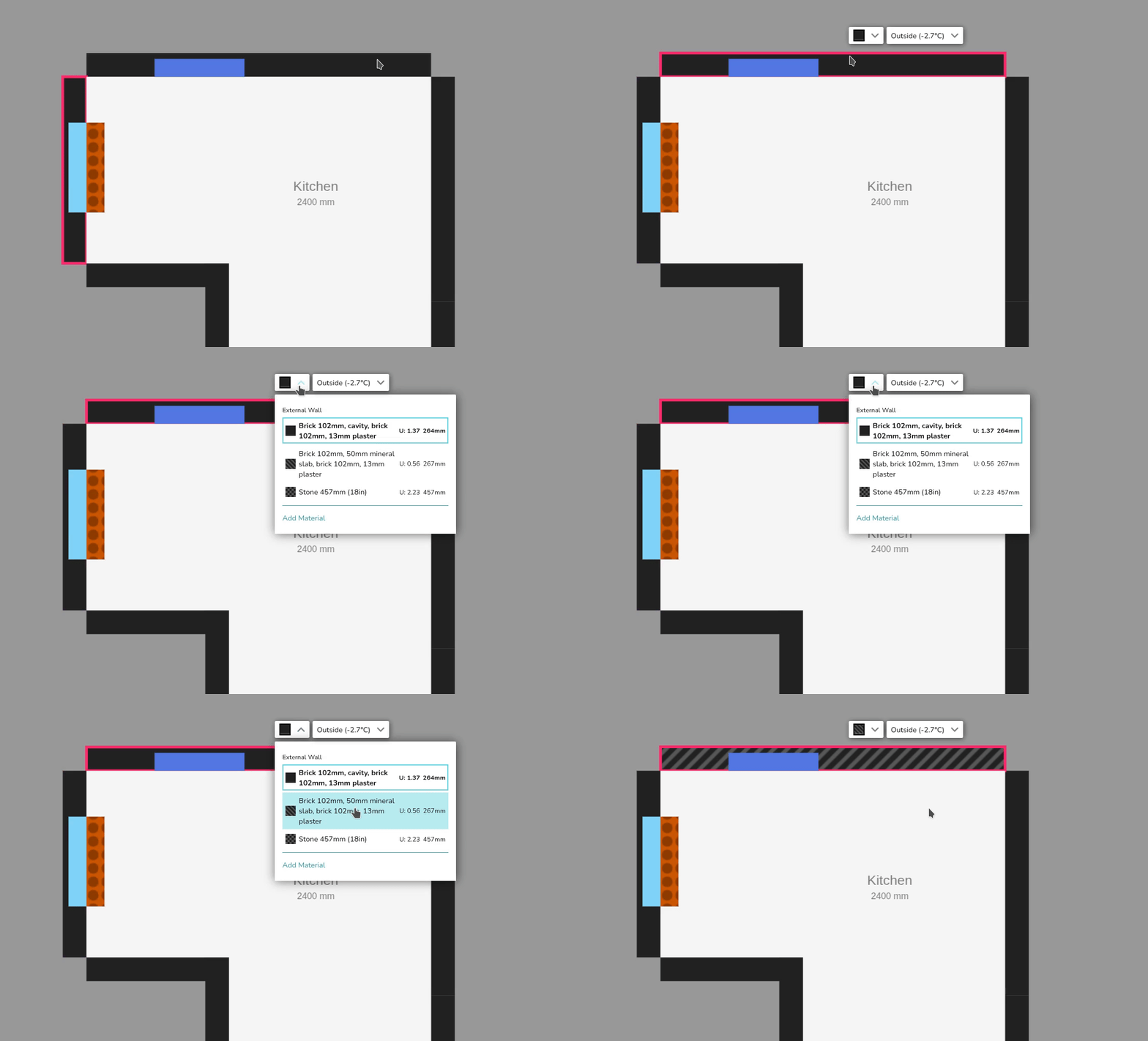](https://help.heatpunk.co.uk/uploads/images/gallery/2026-01/v5lqtUHADDBmGbkq-simplescreenrecorder-2026-01-06-12-51-14-ezgif-com-video-to-gif-converter.gif) ### Editing palette within a project In this same menu, you can click **Add Material** to make project-level changes to the palette. [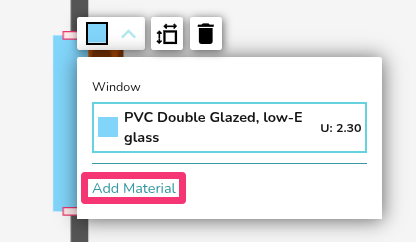](https://help.heatpunk.co.uk/uploads/images/gallery/2026-01/Tki1vWCIZ2585gk0-image.png) Click **Close** in the bottom left to save these changes. --- ## Still Need Help? / Want to know more? - **Related FAQs:** Check out our [Plans task FAQs](https://help.heatpunk.co.uk/books/faqs/chapter/plans-task-creating-a-surveyed-floor-plan) for answers to common questions - **Further guides**: Take a look at our [Plans task help guides](https://help.heatpunk.co.uk/books/plans-task) - **Live training:** [Book onto a live demo session](https://cal.com/midsummer-energy) to see this feature in action **Contact Support:** If you've got further questions, get in touch with our support team at **help@heatpunk.co.uk** (UK) or **help@heatpunk.ie** (IE). *If you are experiencing a bug, to help us look into your issue faster, please include the email address of your account, the name of the project and screenshots of any unexpected behaviour.*