This guide covers how to size a room to the correct shape. For information on adjusting the properties of a room, see [Creating a Floor Plan](https://help.heatpunk.co.uk/books/plans-task/page/creating-a-floor-plan "Creating a Floor Plan").
Rooms can be dragged and dropped onto your floor plan from the left-hand sidebar [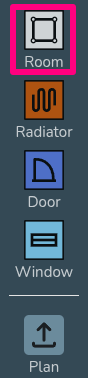](https://help.heatpunk.co.uk/uploads/images/gallery/2025-11/OMkYC4uulJuOjz85-image.png) ### Adjusting shape of room When creating a room in the plans task, there are a variety of different handles you can use to accurately adjust the shape of a room: [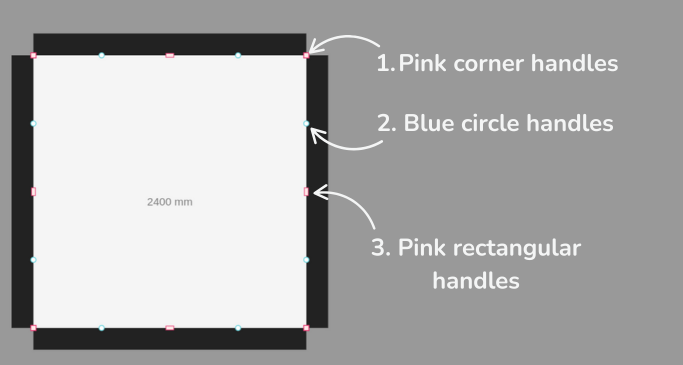](https://help.heatpunk.co.uk/uploads/images/gallery/2025-11/8Y9K7WHvBFToSsrP-image.png) #### 1. Pink corner handles Click the **pink corner handles** to show dimensions of the associated walls. You can then click on the values to manually change these. [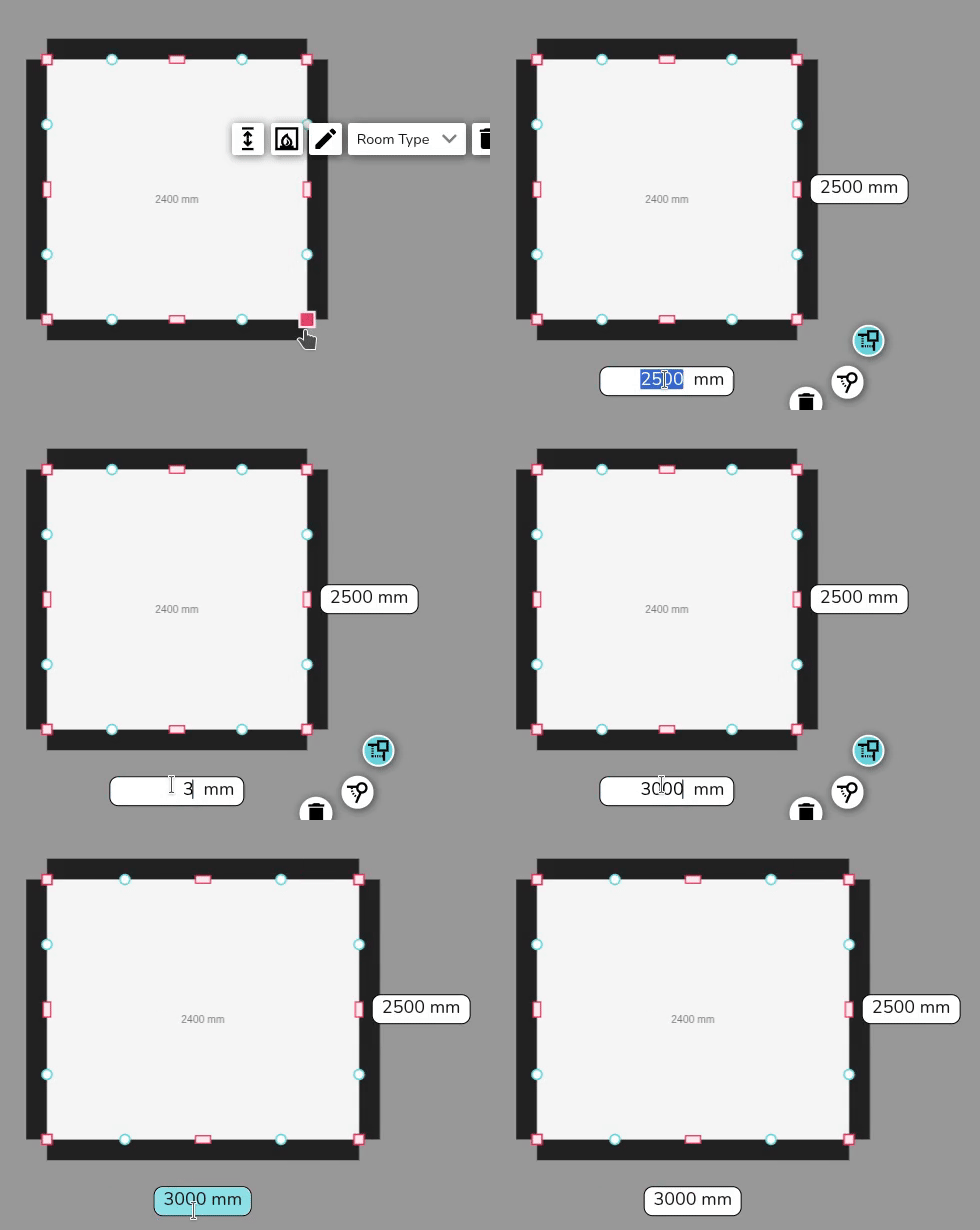](https://help.heatpunk.co.uk/uploads/images/gallery/2025-11/ynLIA86l61ysxirF-simplescreenrecorder-2025-11-07-11-20-27-ezgif-com-video-to-gif-converter.gif) Click on the pink corner handles to switch between a square and circle handle: - Use the **square corner handles** to resize the room whilst keeping the adjacent walls at the **same angle**. - Use the **circle corner handles** to move that point **independently** of the other points to create angled walls. [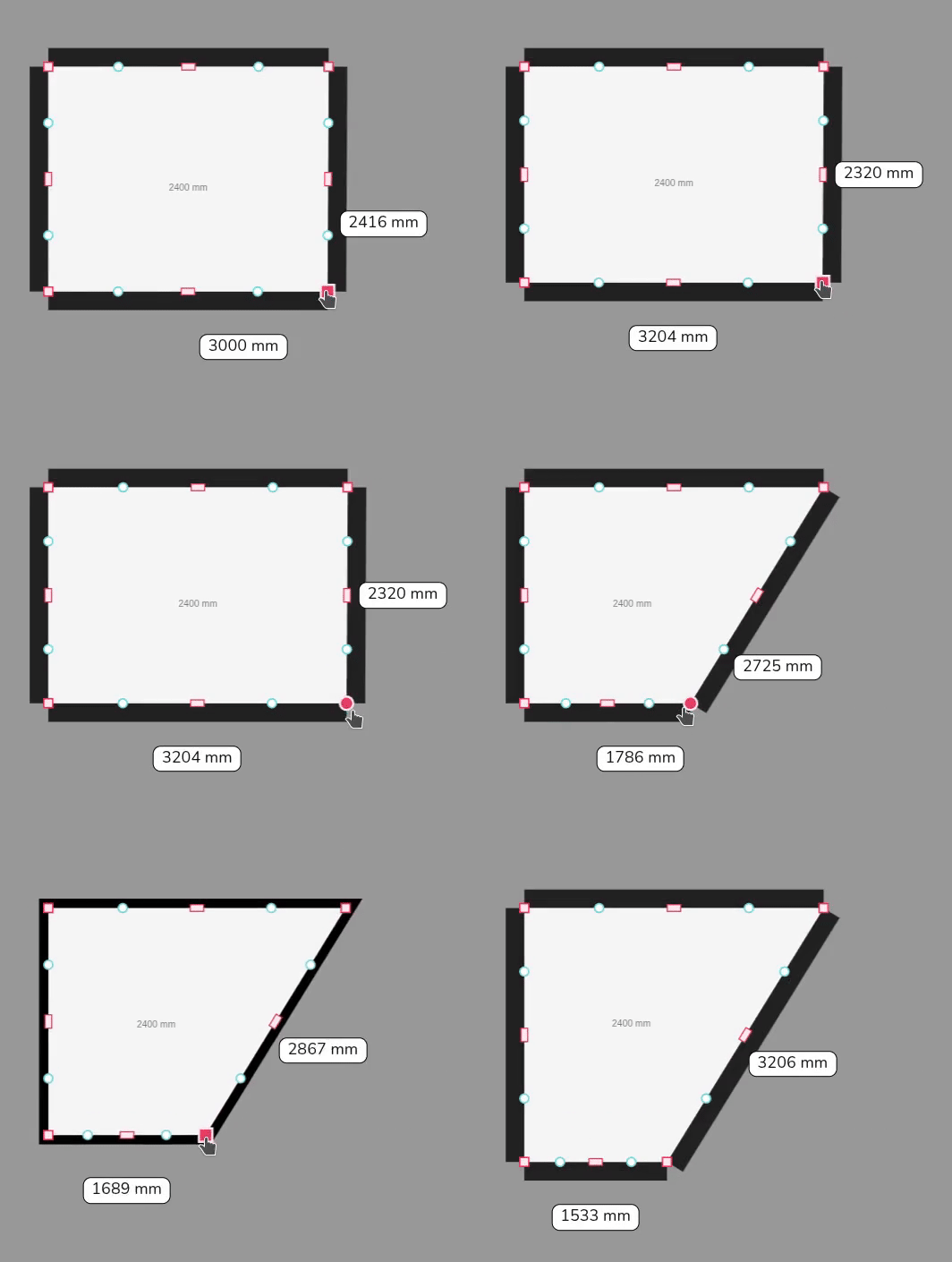](https://help.heatpunk.co.uk/uploads/images/gallery/2025-11/CrySd6xBncVwgzUf-simplescreenrecorder-2025-11-07-11-24-22-ezgif-com-video-to-gif-converter.gif) #### 2. Blue circle handles Click and drag the **blue circle handles** to allow you to split a wall and create irregular shapes. These will then convert to pink handles which you can delete if needed. [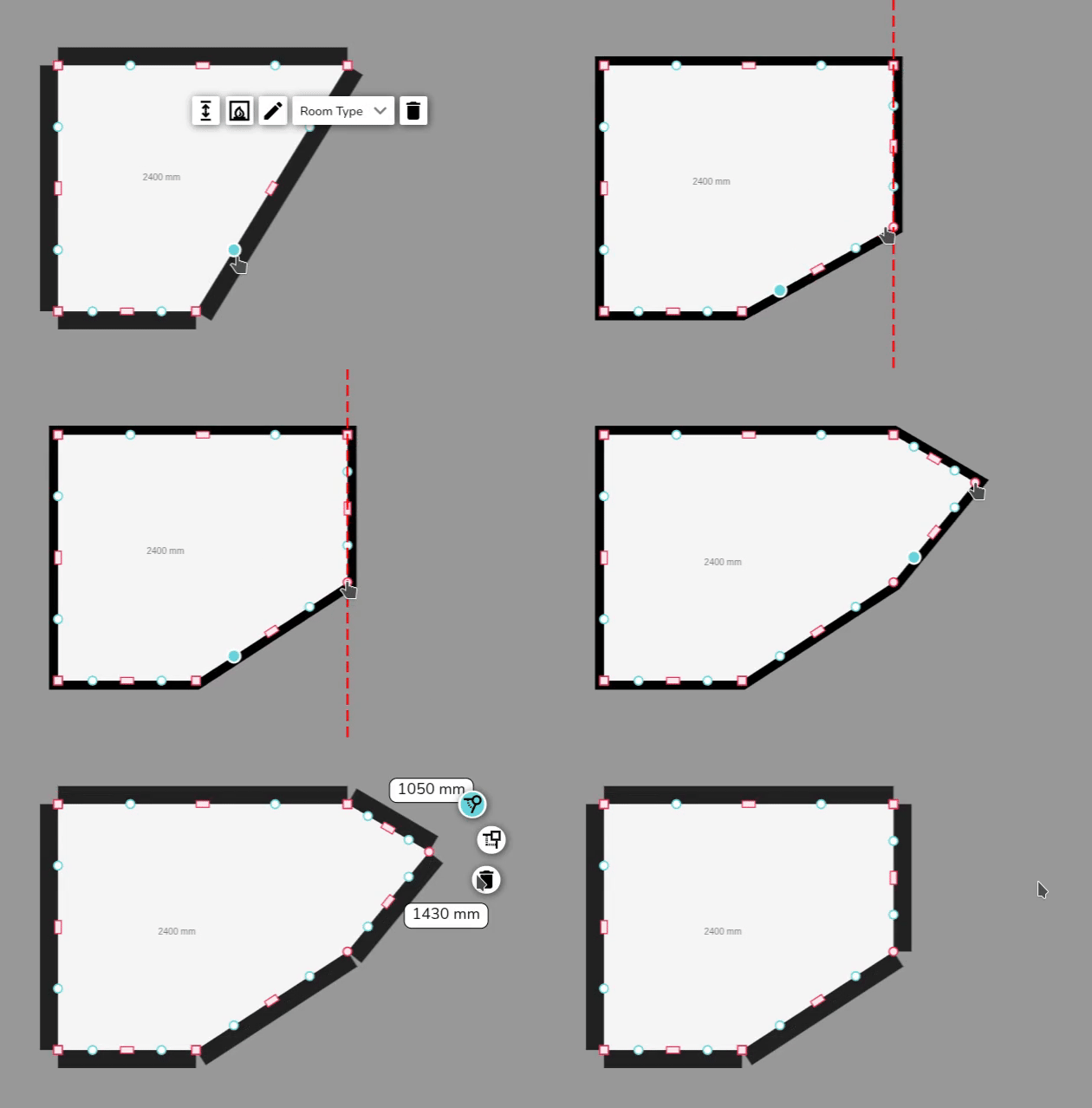](https://help.heatpunk.co.uk/uploads/images/gallery/2025-11/y11VDW5Zbgl9ffyj-simplescreenrecorder-2025-11-07-11-37-35-ezgif-com-video-to-gif-converter.gif) #### 3. Pink rectangular handles Use the rectangular handle to resize the room. Click on the **pink rectangular handles** to toggle between a square and curved cornered handles: - Use the **square cornered handle** to extend a wall out. - Use the **curved cornered handle** to extend the adjoining wall independently of the others. [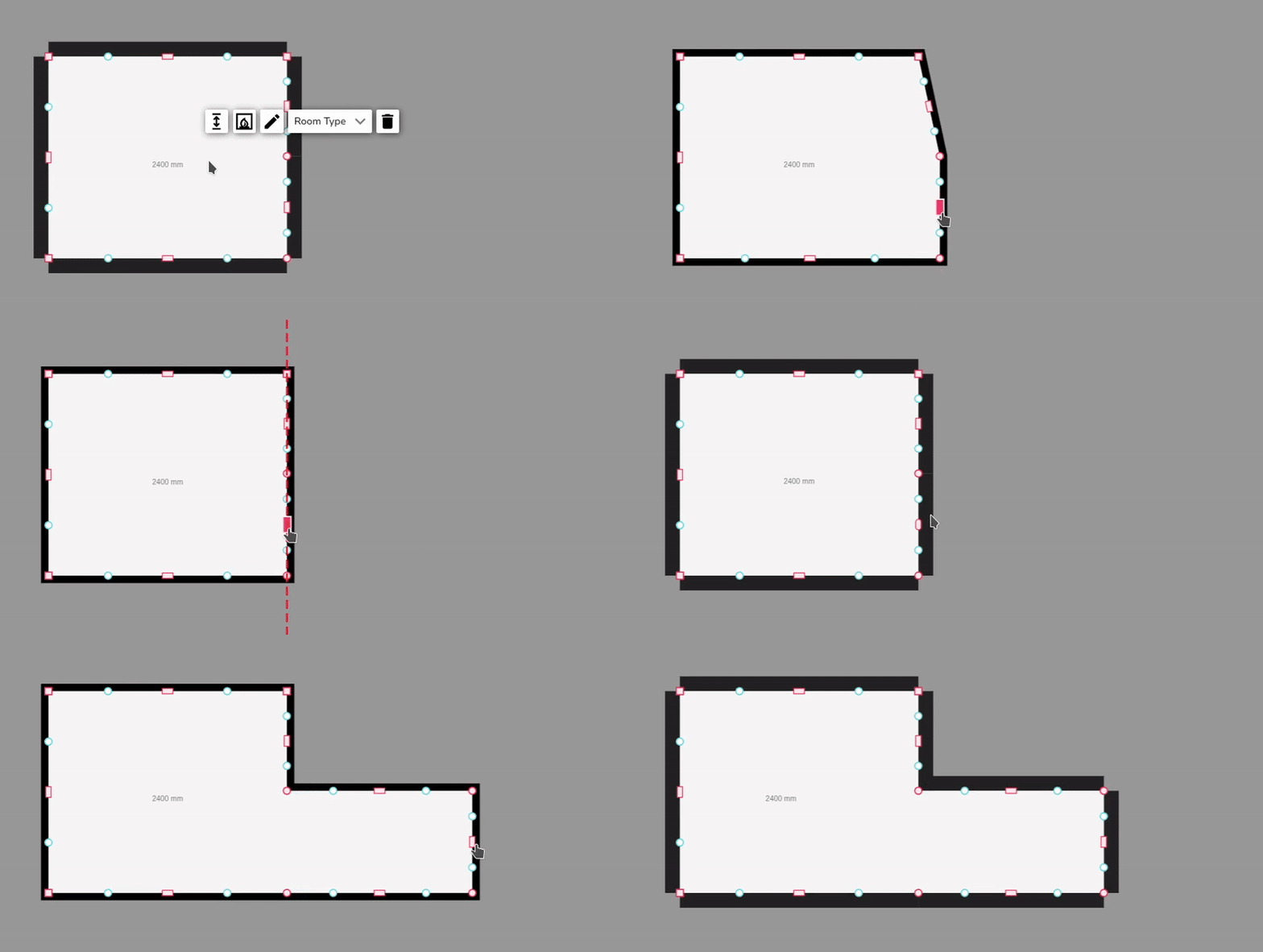](https://help.heatpunk.co.uk/uploads/images/gallery/2025-11/nY6kA9xAsYucEapt-simplescreenrecorder-2025-11-07-11-40-05-ezgif-com-video-to-gif-converter.gif) ### Video demonstration These tools are demonstrated in the video below. --- If you have further questions, please get in touch at