Edits to existing emitters from the *Emitters* tab apply to all plans. Read about [emitter upgrades](https://help.heatpunk.co.uk/books/plans-task/page/emitters#bkmrk-radiator-upgrades) below.
While on the *Emitters* tab, as you adjust the **flow temperature**, you can see directly on the floor plan whether the heat loss is being met: [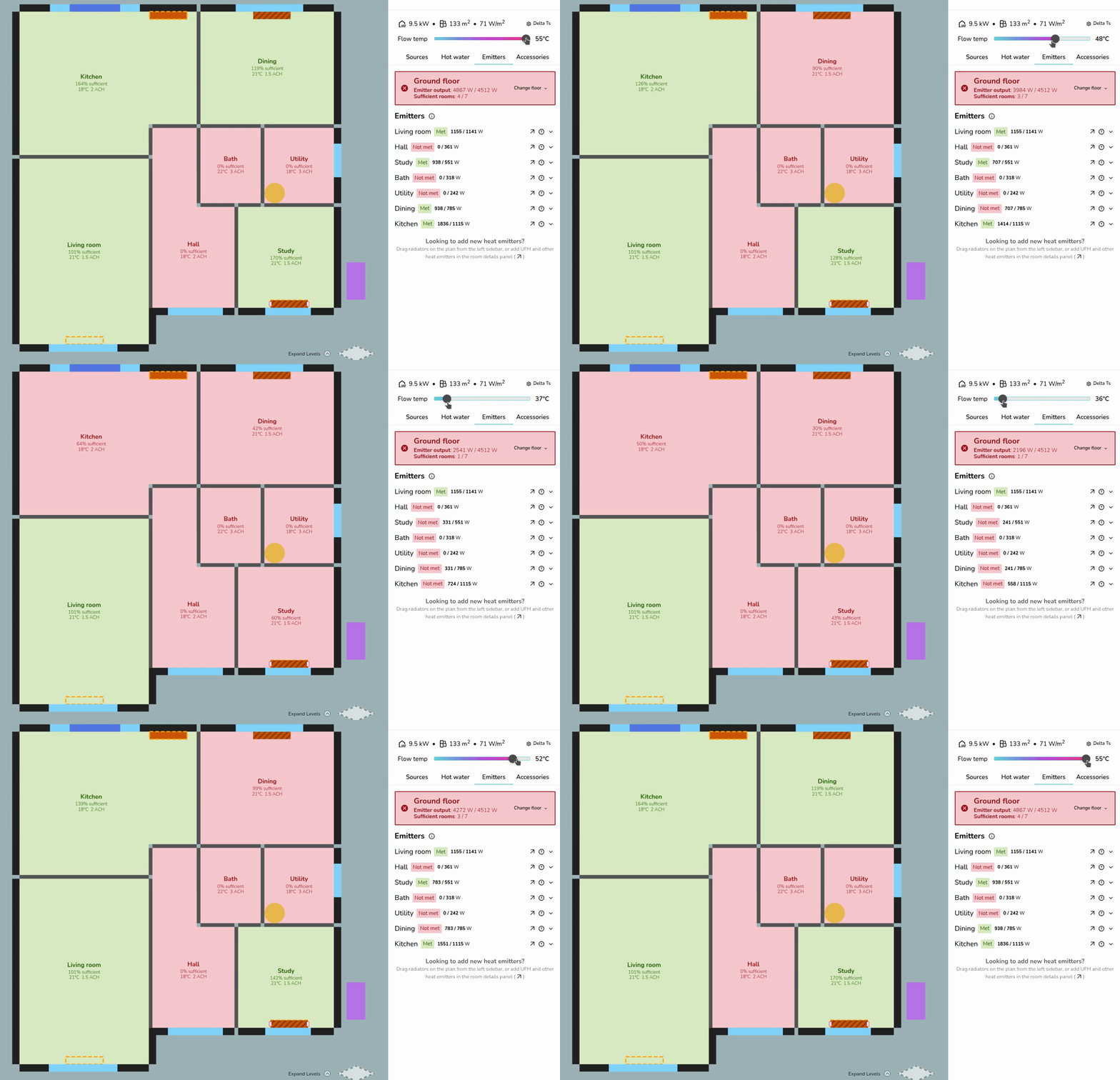](https://help.heatpunk.co.uk/uploads/images/gallery/2026-04/3jW0dGBH6qDRBEJl-adjustflowtempfloorplanview.gif)UFH and other non-radiator emitters have a **fixed output** that does not change with flow temperature in Heatpunk. As seen above, the living room output remains the same.
--- ## Adding emitters You can add emitters in both the *surveyed plan* and design options. Emitters added to the *surveyed plan* will be added to all design options, while emitters added within a design option are only added to that option. ### Adding radiators To place radiators on a floor plan, drag and drop from the right-hand sidebar. [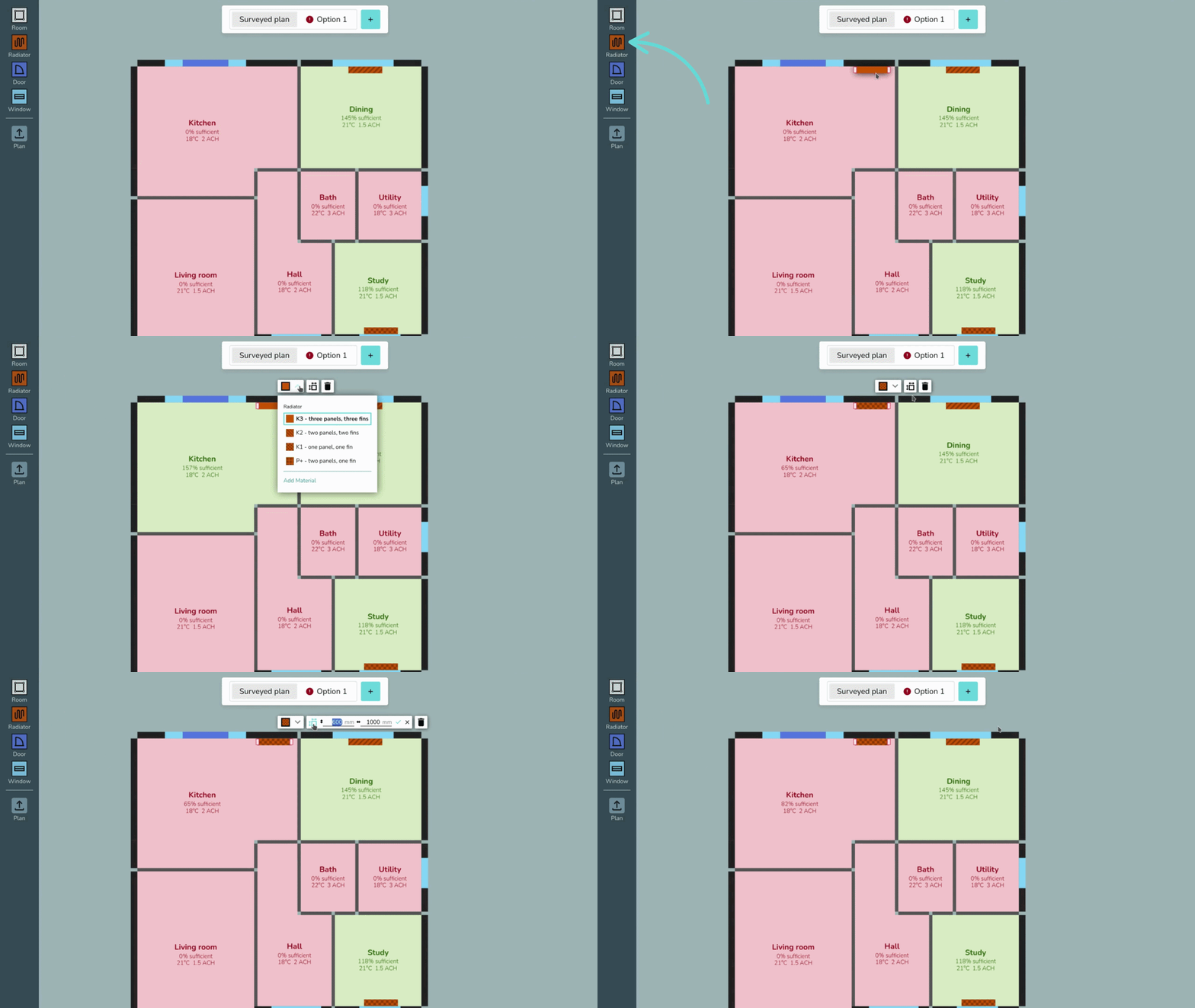](https://help.heatpunk.co.uk/uploads/images/gallery/2026-04/tFs7e8EjbJKxhdfs-placingradiator.gif) Click on the radiator to edit the type and size or remove from the plan. If the type you are looking for isn't listed, click *Add Material* to add radiators to your [material library](https://help.heatpunk.co.uk/books/plans-task/page/managing-your-material-palettes-and-library "Managing Your Material Palettes and Library"). [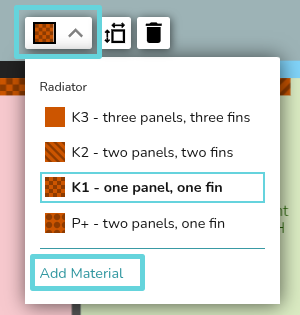](https://help.heatpunk.co.uk/uploads/images/gallery/2026-04/ZiBw0kjDjoau5Qo6-image.png){{@123#bkmrk-the-rads-built-into-}}
### Adding underfloor heating or other emitters To add underfloor heating, navigate to the **Emitters tab** and click **🡥 See room details on the room. Below the room details, then click *Add underfloor heating* or *Add other emitters*. Fill in the details and then save changes. [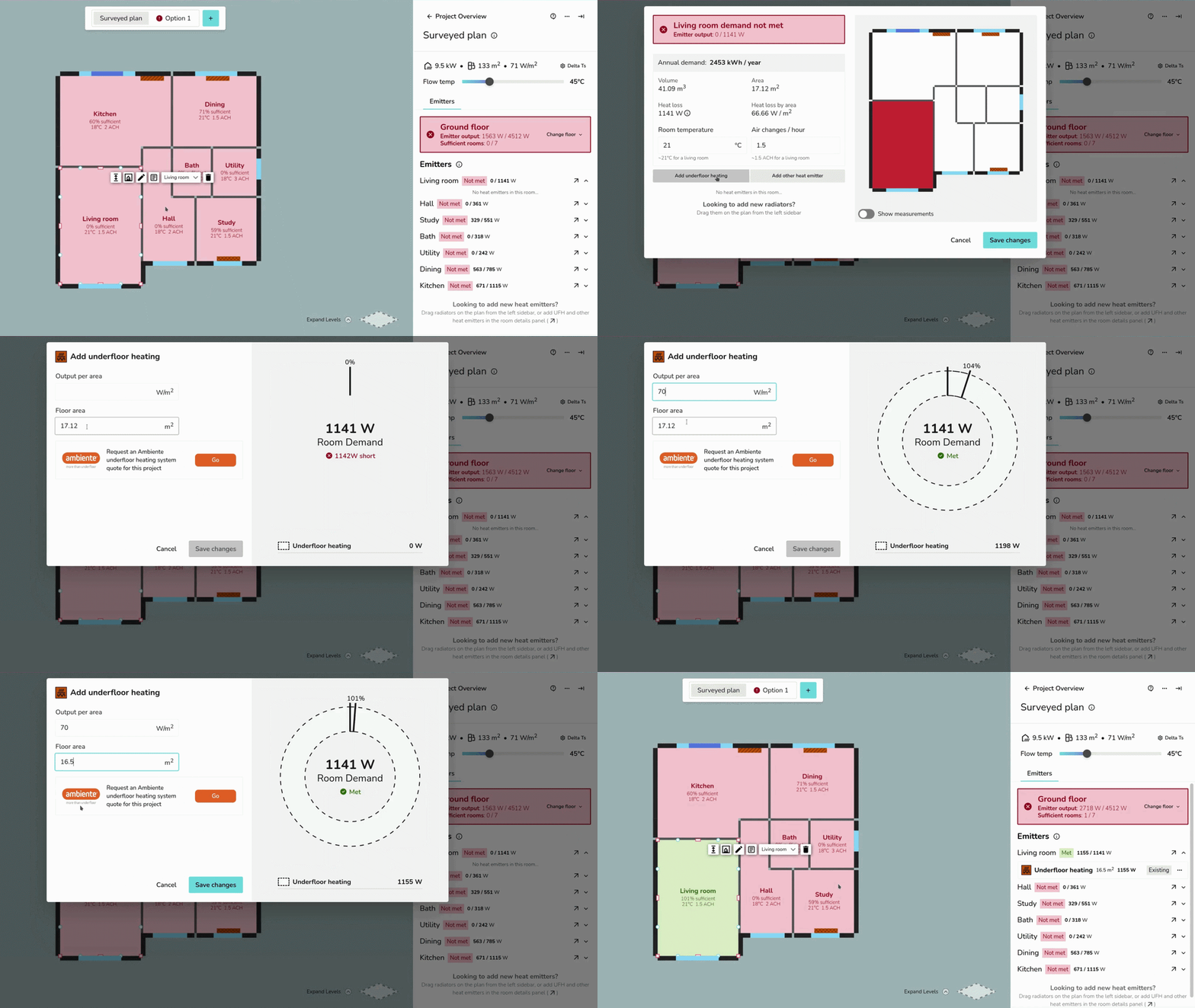](https://help.heatpunk.co.uk/uploads/images/gallery/2026-04/gwZHuN2Ql6YDZKvC-ufh-ezgif-com-video-to-gif-converter.gif) ### Emitter upgrades To complete emitter upgrades, make sure you have a **design option** selected. When you add, upgrade, or remove emitters, this is clearly labelled for each room: [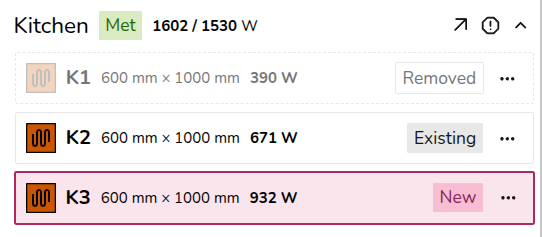](https://help.heatpunk.co.uk/uploads/images/gallery/2026-04/x8RnO4sw2BpHixLn-image.png) - **Existing**: emitters added to the *surveyed plan* - **Removed**: existing emitters deleted or replaced on a design option - **New**: emitters added to a design optionIf a radiator you've added is of the wrong type, remove the radiator, navigate to the correct floor plan (surveyed plan or a design option) and re-add the radiator.
### Radiator upgrades Click on the radiator on the plan and then click upgrade. [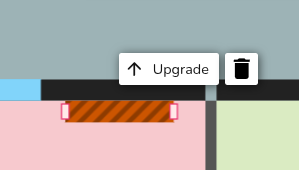](https://help.heatpunk.co.uk/uploads/images/gallery/2026-04/cGC8FGKc49UT8xm7-image.png) You can then edit the details of the existing emitter. [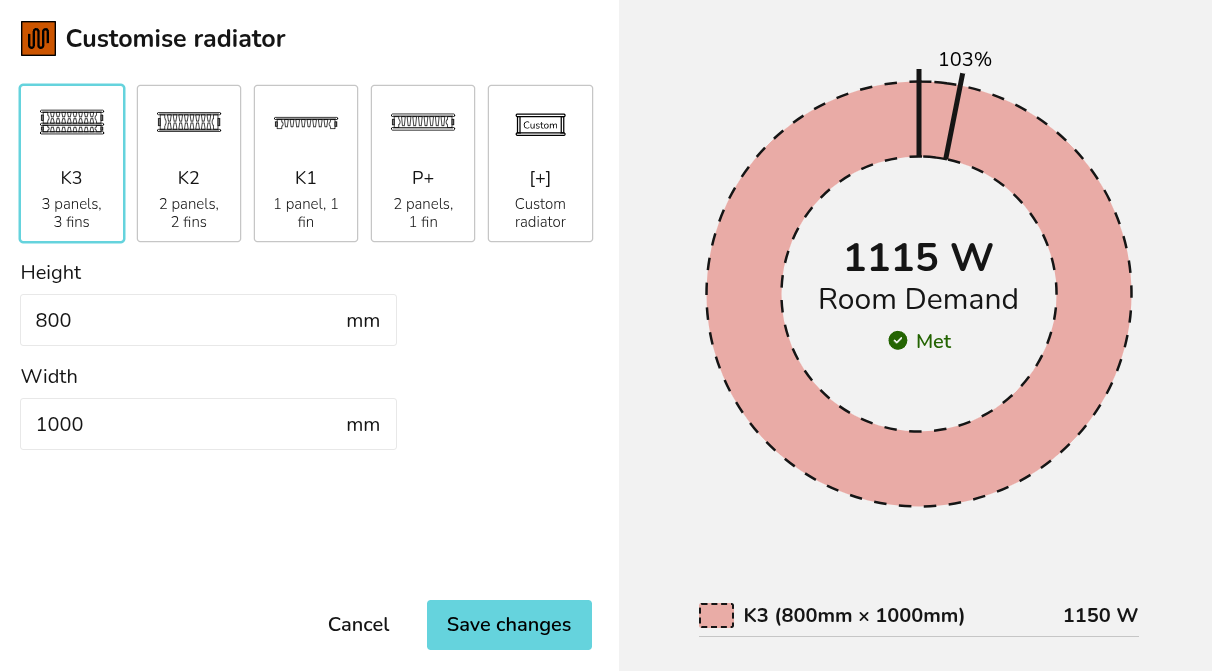](https://help.heatpunk.co.uk/uploads/images/gallery/2026-04/rg0oHHdZs9rcXXEH-image.png) Clicking *Save changes* will delete the existing radiator from the floor plan and replace it with the new radiator. [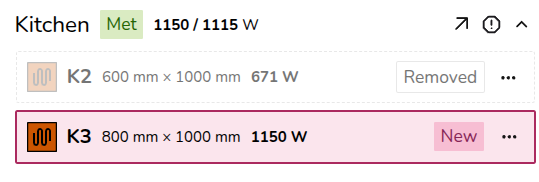](https://help.heatpunk.co.uk/uploads/images/gallery/2026-04/GX9qjHq8HG5v44C6-image.png) ### Underfloor heating and other emitters upgrades If you are replacing the radiator with underfloor heating (or another emitter), **delete** the radiator from the plan and follow the steps [above](https://help.heatpunk.co.uk/books/plans-task/page/emitters#bkmrk-adding-underfloor-he) to add UFH/other emitters to a project. ## Overriding heat loss To override the heat loss on a room, click the **exclamation** icon. Input the reason for the override and save. That text will then display in the **technical report**. [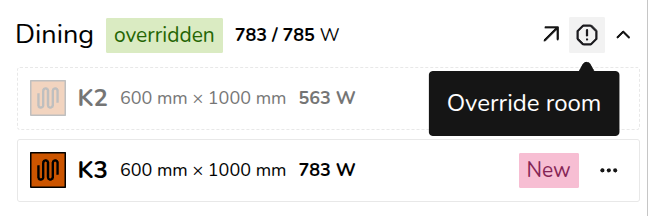](https://help.heatpunk.co.uk/uploads/images/gallery/2026-04/FCxdcsSMauBIV997-image.png) The text will also appear on the floor plan. To view the full text, click **🡥 See room details**. --- ## Still Need Help? / Want to know more? - **Related FAQs:** Check out our [Plans task FAQs](https://help.heatpunk.co.uk/books/faqs/chapter/plans-task-creating-a-surveyed-floor-plan) for answers to common questions - **Further guides**: Take a look at our [Plans task help guides](https://help.heatpunk.co.uk/books/plans-task) - **Live training:** [Book onto a live demo session](https://cal.com/midsummer-energy) to see this feature in action **Contact Support:** If you've got further questions, get in touch with our support team at **help@heatpunk.co.uk** (UK) or **help@heatpunk.ie** (IE). *If you are experiencing a bug, to help us look into your issue faster, please include the email address of your account, the name of the project and screenshots of any unexpected behaviour.*