
Floors and Ceiling regions
Heatpunk will automatically use the default material of floors and ceilings defined in your material palette.
Regions are used if the height of a room or material of a ceiling or floor is different from the default. If the height and material is the same across the floor and match the default selected in the palette, you do not need to create a region.
Adding a region
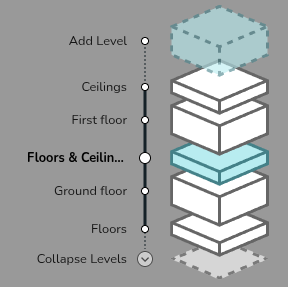
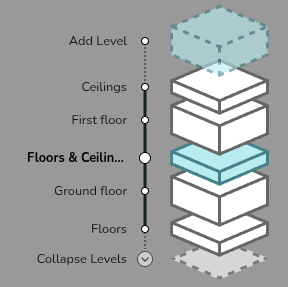
- Navigate to the relevant floor/ceiling in the bottom right of the screen.
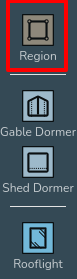
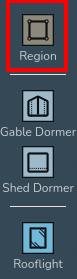
- Create the region: Drag and drop a region in from the menu on the left. The shape of regions can be edited using the same handles as for rooms (see Creating Rooms).
-
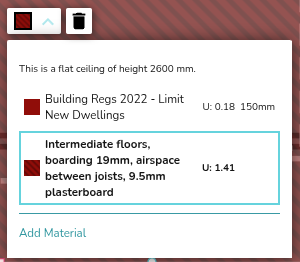
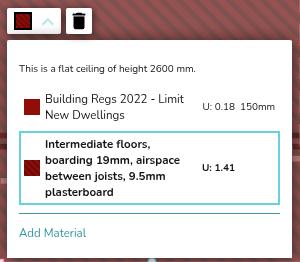
Set the material of the region: Once you have added a region, click anywhere on it and use the drop down menu to change the material as required.
-
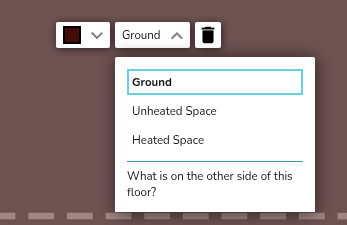
Set what's on the other side: For the ground floor or top floor ceiling, you should also define what is on the other side (heated, unheated, ground). For intermediate floors, Heatpunk will do this for you.
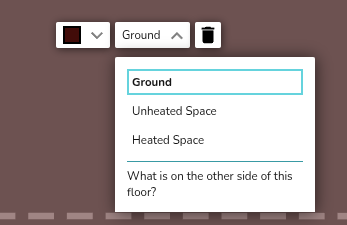
Unheated and heated spaces are taken to be 10°C and 18°C respectively. The ground temperature is based on your postcode.
Create as many regions as are necessary to correctly define each area of the floor/ceiling. regions can be set to cover the entirety of the floor/ceiling, or only certain areas. For areas where a region isn't defined, the palette default and room height will be used.
Note: make sure you only have one region covering any given area on your floor plan or this will lead to errors in your heat loss calculations.
Vaulted ceilings and dormers
See the video below to learn how to add vaulted ceilings and dormers.