Where can I find the solar and battery details in Easy PV?
If you're modelling solar and batteries in the Consumption task and also modelling the project in Easy PV, you can find all the required information in your Easy PV project:
Solar
For each of these navigate to the Performance task > Performance results

Then for each roof or input:
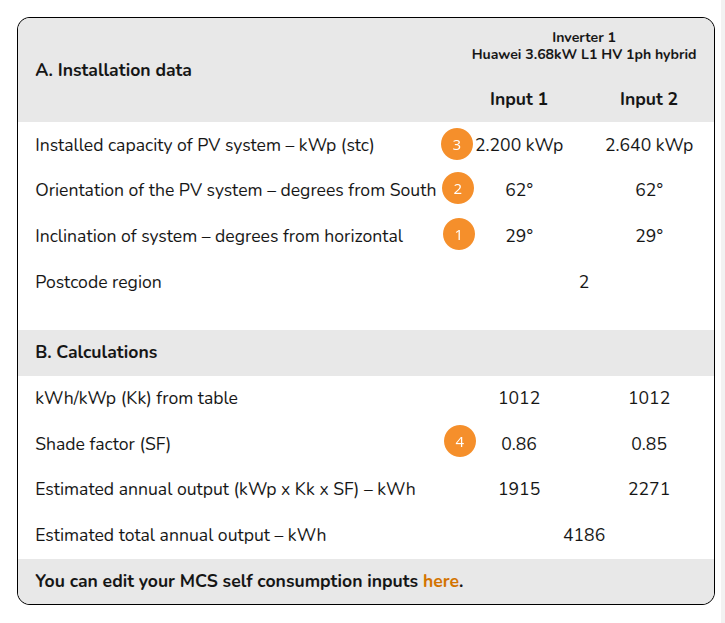
- Pitch
- Orientation
- Installed capacity
- Shading: subtract this value from 1 and multiply by 10, then select closest value
Battery
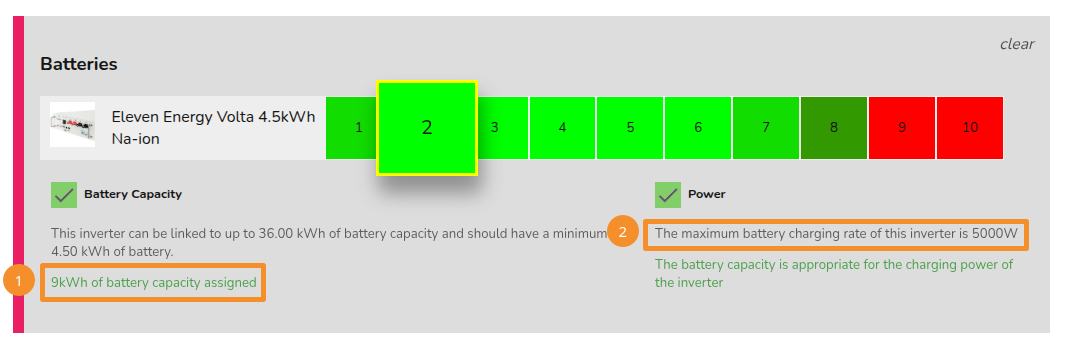
- Capacity
- Charge rate (I don't think where I've indicated is true......)