
WIP - Pro: SEAI sign off workbook
heatpunk.ieThis guide applies to Easy PV IE.
As a Heatpunk Pro user, you can generate the official SEAI sign-off workbook directly as an .xlsx file.spreadsheet.
1. Complete the required forms
To generate the workbook, you first need to fill outcomplete three forms.
- Designer/Installer sign off
- Heating design/ radiator output conversion
- BER checklist
To
Heatpunkfill these out:
Each completed form is savable in the Documents section on the project overview page, where you can view or download them individually if needed.
2. Generate the SEAI workbook
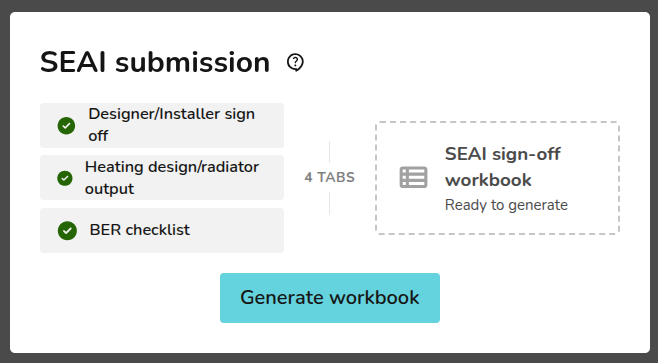
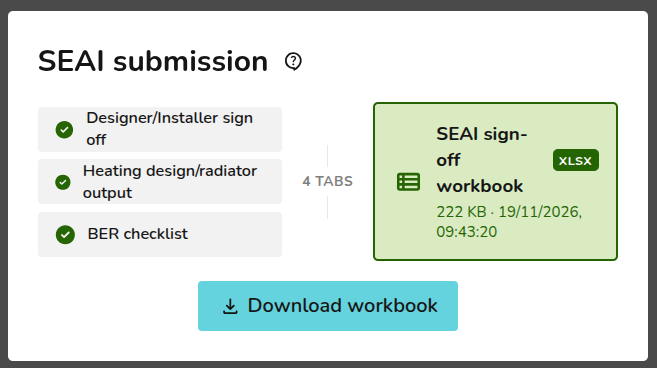
Heatpunk will compile your data and display a date and time stamp showing when the file was generated. Click 'Download workbook' to save the spreadsheet to your device as an .xlsx file.
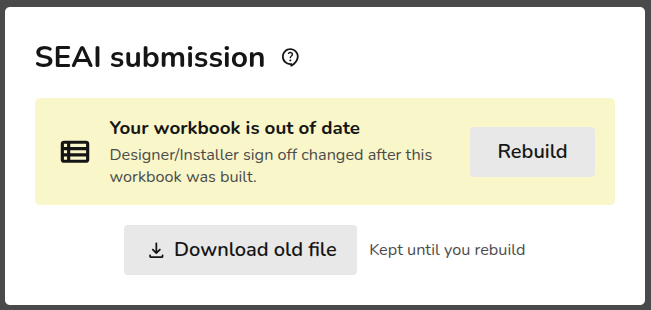
3. Making changes
Still Need Help? / Want to know more?
Contact Support: If you've got further questions, get in touch with our support team at help@heatpunk.co.uk (UK) or help@heatpunk.ie (IE). If you are experiencing a bug, to help us look into your issue faster, please include the email address of your account, the name of the project and screenshots of any unexpected behaviour.
No more manual data entry for your SEAI excel workbook, generate it in minutes with Heatpunk ProAs a Heatpunk Pro customer, you can now generate the SEAI sign-off workbook as an .xslx format.Simply complete fill in the information in the three required forms. These forms take as much data from the project as they can, reducing double data entryDesigner/Installer sign offHeating design/ radiator output conversionBER checklist
Each of these forms are savable in the ‘Documents’ section of the project overview and can be downloaded if needed.The workbook can be generated once all three forms are complete. Heatpunk will provide a date and time stamp of when this was generated. Simply click download to get it and send it to SEAI.If you need to make changes, simply edit any one of the three forms and we’ll prompt you to rebuild your workbook.