
Custom materials
When creating or editing a material palette in Heatpunk, you have the option to create custom materials. This includes custom walls, floors, roofs, doors, windows and radiators.
Custom materials
There are two options when creating your own material:
- Build layers - adding materials by layers.
- Enter U value - adding materials with U-value
Adding radiators requires information from the relevant datasheet.
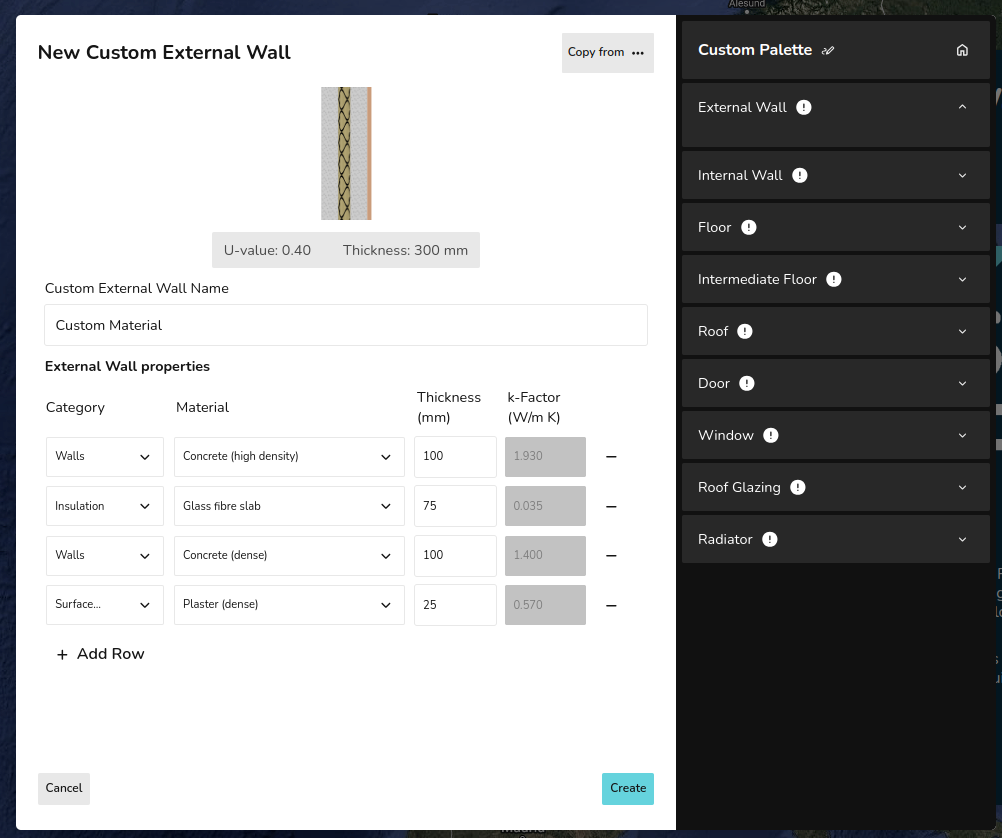
Custom material using Build layers
This option is available for custom walls and roofs:
- Input the name for the custom material.
- Select category of material from drop-down.
- Select material from drop-down.
- Input thickness of that layer.
- Add row and repeat from step 2-4 until each layer is created.
- Click Create in the bottom right.
- Select the material if you'd like to use it on this palette. Star if you'd like it to be the default material used for that section.
For each layer, Heatpunk will then calculate the k-Factor based on the material and thickness. If you select Custom for the material category, you will need to input this k-Factor yourself. Above the name, you will see the overall thickness and u-value of the material.
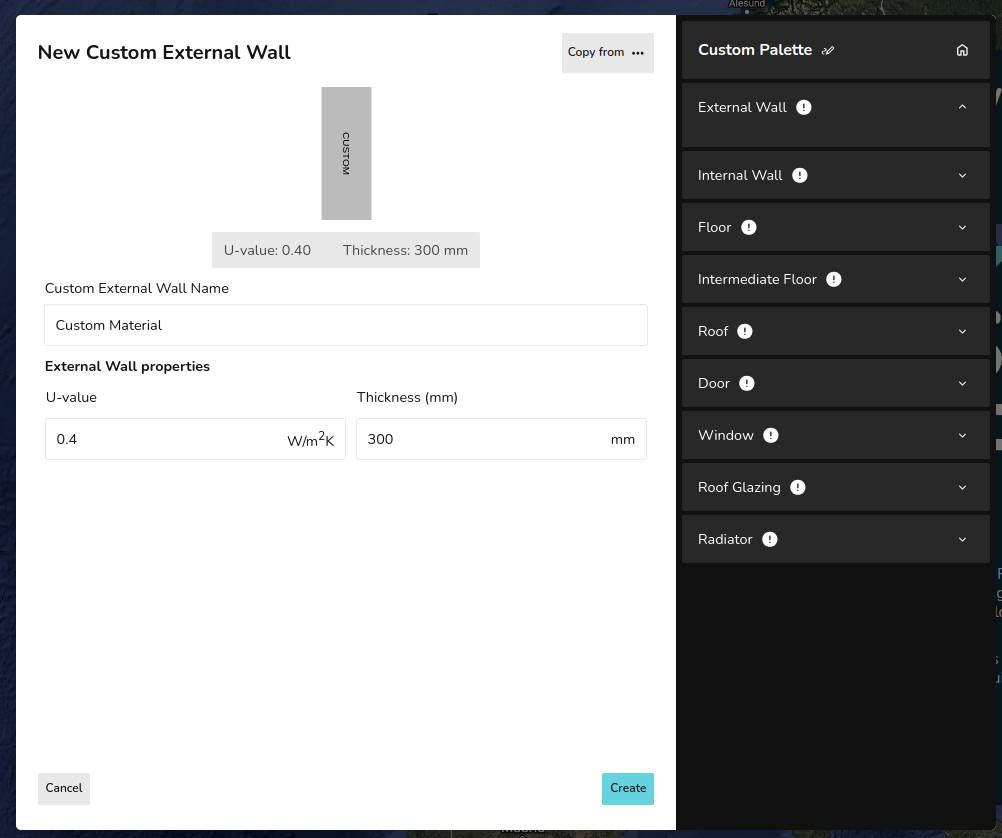
Custom material using Enter U-value
This option is available for all materials (excluding radiators):
- Input the name for the custom material.
- Input the u-value and thickness.
- Click Create in the bottom right.
- Select the material if you'd like to use it on this palette. Star if you'd like it to be the default material used for that section.
Custom radiators
The default P+, K1, K2, and K3 radiators in Heapunk are the Stelrad Classic Compact range. If you are not using these radiators, it's important to create custom radiators so the outputs are accurate.
Custom materials across palettes