
Sound check (UK only)
The information provided here does not apply to heatpunk.ie.
heatpunk.co.uk
The sound check is part of the plan task and helps determine whether the planned installation position will generate excessive noise that could disturb neighbouring properties. The results of the sound check will be displayed in the customer proposal and technical reports.
Completing the sound assessment
There are currently two sound assessment calculation methods published by MCS. Permitted Development Rights in England and Wales require you to use the 2025 calculation method which is based on MCS 020 a). Other UK nations, where they have not changed their Permitted Development Rights, may still require you to use the legacy calculation method based on MCS 020. Please contact your local planning authority if you are unsure which method to use.
The sound assessment is completed in the Plan task. Make sure you have a design option plan selected and a heat pump added to the project.
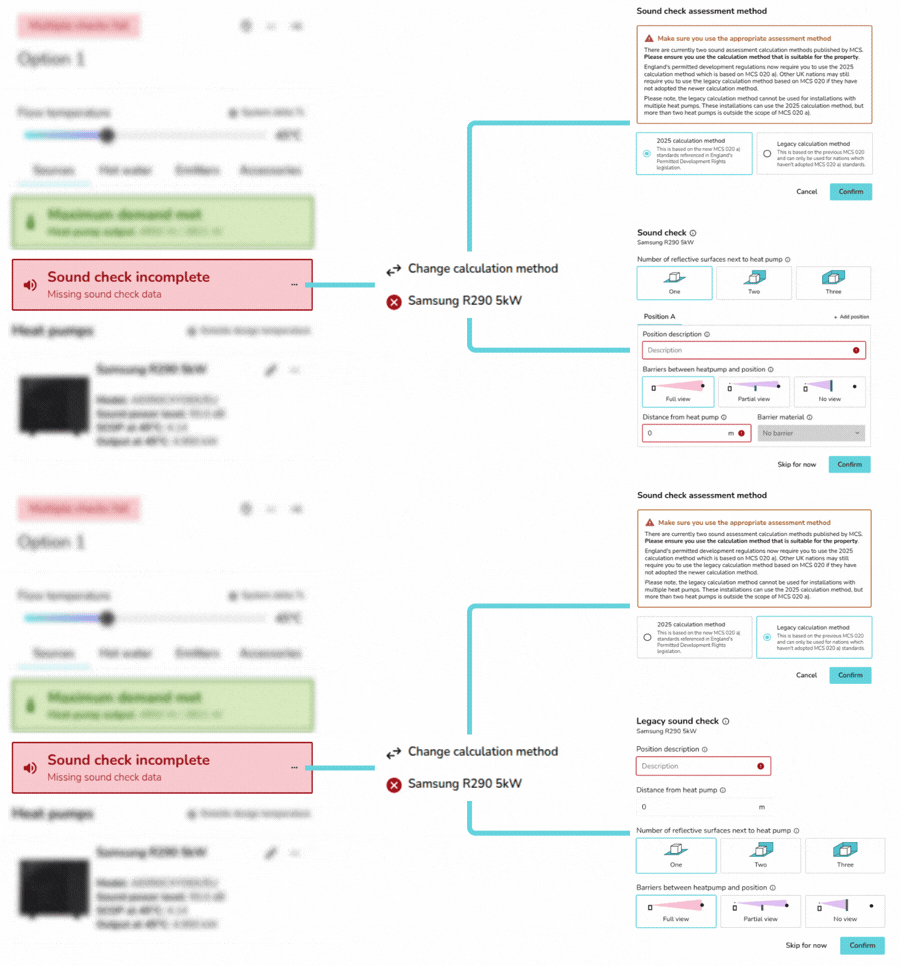
Click the ⋯ three dots and then Change calculation method to make sure the correct assessment method is selected on the Sources sidebar.
Then follow these steps:
- Click the ⋯ three dots and then the name of the heat pump you would like to complete the sound assessment for.
- Input the details about the heat pump position and assessment points.
- Once you have completed the sound check for all the heat pumps in the project the project, the results will display on the right-hand sidebar under Sources.
To edit the details of the sound check click the ⋯ three dots and the name of the heat pump again.
Using the 2025 calculation method - MCS 020 a)
To comply with MCS 020 a), the calculated noise level at each assessment position must be below 37 dB. Under MCS 020 a), it is vital to include multiple assessment positions, as more distant locations without a barrier may experience higher noise levels than closer positions that are shielded.
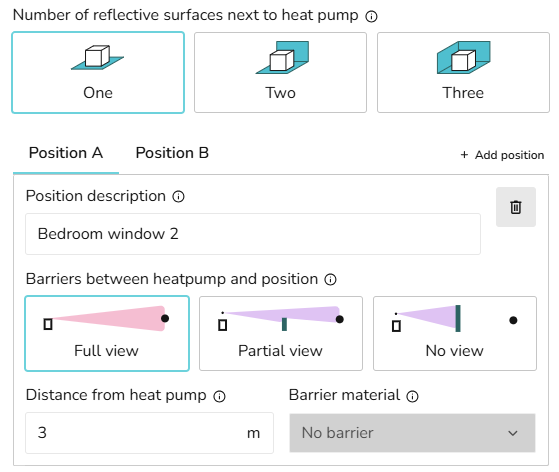
In order to comply with MCS 020 a) standard, start by making sure the 2025 calculation method is selected.
- Select the number of reflective surfaces next to the heat pump.
- Add details for the first assessment position, including the description, distance and details of any barriers.
- Add additional assessment positions by clicking + Add position.
- Delete any positions you no longer need using the dustbin icon.
- Click Confirm to view the sound check results.
See MCS guidelines for further information on the calculation.
Using the legacy calculation method - MCS 020
To comply with the legacy MCS 020 standard, the noise level at a single assessment position must be below 42 dB.
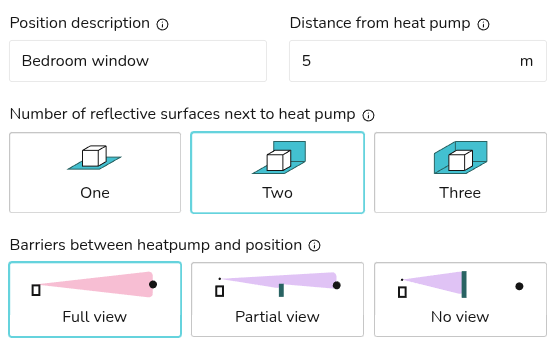
In order to comply with the previous MCS 020 standards, make sure the legacy calculation method is selected.
- Add details for the assessment position, including the description, distance, number of reflective surfaces and details of any barriers.
- Click Confirm to view the sound check results.
See MCS guidelines for further information on the calculation.
Still Need Help? / Want to know more?
Contact Support: If you've got further questions, get in touch with our support team at help@heatpunk.co.uk (UK) or help@heatpunk.ie (IE). If you are experiencing a bug, to help us look into your issue faster, please include the email address of your account, the name of the project and screenshots of any unexpected behaviour.