
Plans and Design Options
Heatpunk allows you to create multiple design options, allowing you to specify different systems on the same initial floor plan.
When you first create a project, you will create a plan of the property as surveyed. DesignThis optionsis arecalled thenthe builtSurveyed atopplan this,and allowingis used to create design options, where you tocan place heat pumps, cylinderscylinders, and model radiator upgrades directly on the propertyplan.
Heatpunk allows you to create multiple design options, so you can specify different systems on the same initial floor plan.
Surveyed plan
This is the building floor plan as surveyed in its current state. Note that design options do not yet support fabric or ventilation upgrades, so these willupgrades need tomust be included in the surveyedSurveyed plan.plan.
As you create the plan, on the right-hand sidebar, you can adjust the flow temperature and view the heat loss for each room.room Readto moreclearly aboutsee thiswhere inemitter Emitters.upgrades are needed.
After creating your surveyed plan, click Finish surveyed plan to create a design option.
Navigate between the Surveyed plan and design options at the top of the page.
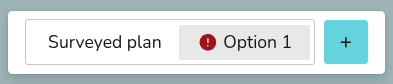
Most changes made to the Surveyed plan apply to all design options. Read more about this below.
Design option plans
Design option plans allow you to model emitter upgrades and specify kit changes based on the Surveyed plan. Read more about this in Heat Sources, Hot Water and Emitters.
Most changeschanges, excluding building fabric or layout changes, made while on a design option plan will only apply to that design option. The exception being any building fabric or layout changes. Read more about this below.
In the corner of the right-hand sidebarsidebar, thereyou is also the option tocan rename, duplicate and delete the selected design option:
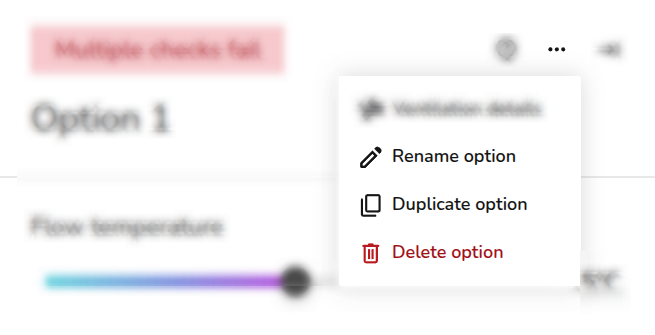
The option to delete will not appear if you only have one design option. You cannot rename the originalSurveyed Plan.plan.
After the Plan task, you can only proceed with one design option in forms and reports. Make sure you have the correct option selected before continuing onto the next task.
Editing plans
Some changes will apply to all plans and some will only apply to the selected plan. Below is a summary of how changes affect yourthe Surveyed plan and design options.
| Changes | Plan or design option |
| Emitters | Edits to existing emitters |
| |
| ODT | Changes to ODT apply across the Surveyed plan and design options. |
| Building (walls, floors, windows, doors) fabric and room layout | Changes to room layout or building fabric apply across the Surveyed plan and design options. |
| Room temperature and ACH |
Changes to the Surveyed plan will apply to design options, unless the value has already been changed in that option. Changes to design options will only apply to the selected option. Value within a design option will appear with a * if they differ from the Surveyed plan. |
| Heat pump and hot water storage | Changes to the selected heat pump or hot water storage will only apply to the chosen option. |
| Hot water settings | Changes to hot water settings will also only apply to the selected design option. |