
Sources
This guide covers an update coming to Heatpunk UK April 27th 2026. Read more about it here.
Adding a heat pump
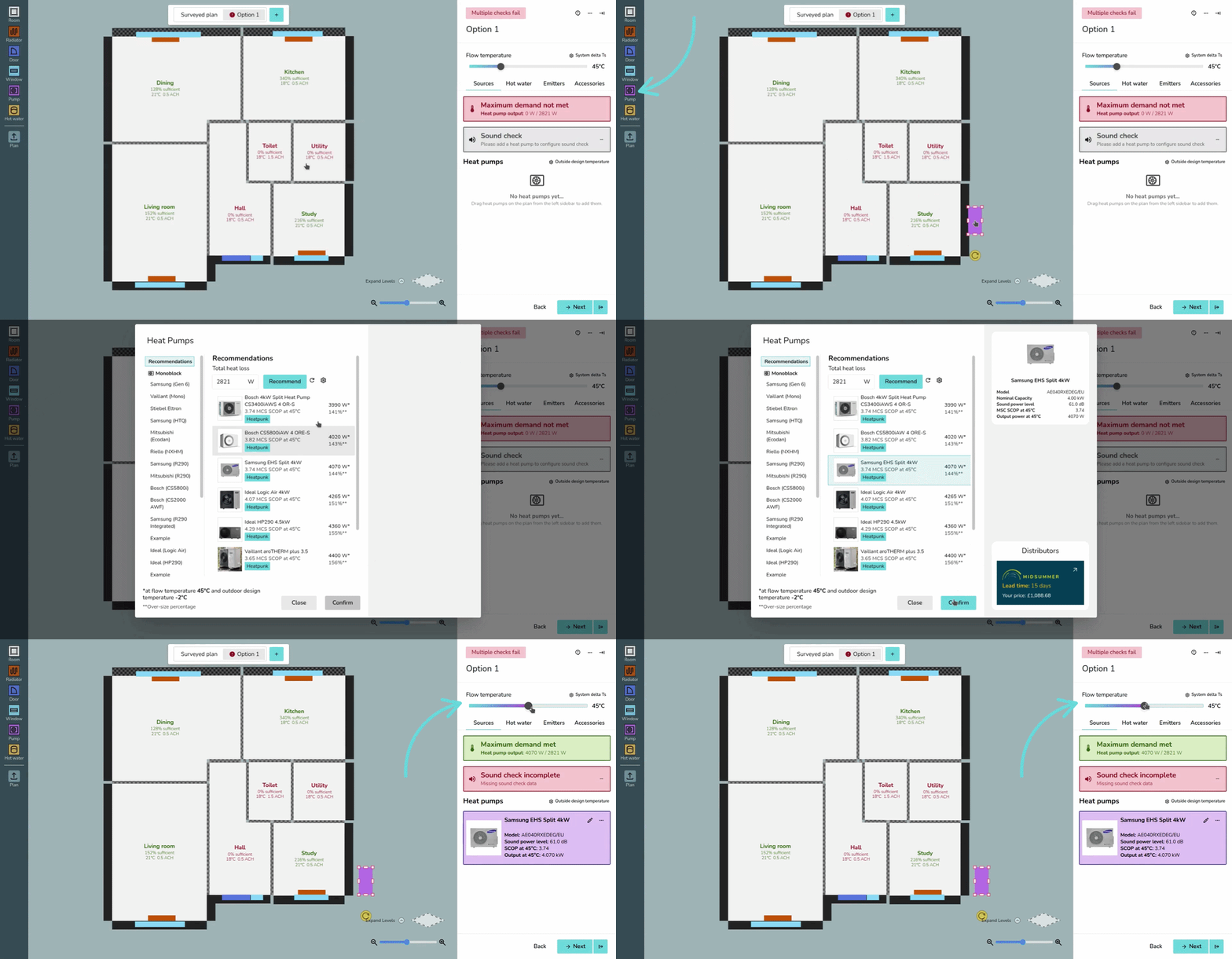
Heat pumps are added to a design within the Plan task.
While on a design option, drag and drop a Pump from the left-hand sidebar to place a heat pump in the plan. After placing the heat pump, you can select the model. Choose from the recommendations or scroll through the sections on the leftleft, sorted by brand and type (monoblock and split).
When ana optionheat pump is selected, on the right you will see spec information,specs, and Midsummer stock levels and pricing information.pricing. If your account is connected to Midsummer, you will also see your specific pricing.
To add multiple heat pumps, simply drag multiple from the left-hand sidebar.
Sources tab
On the Sources tab, you will see the following:see:
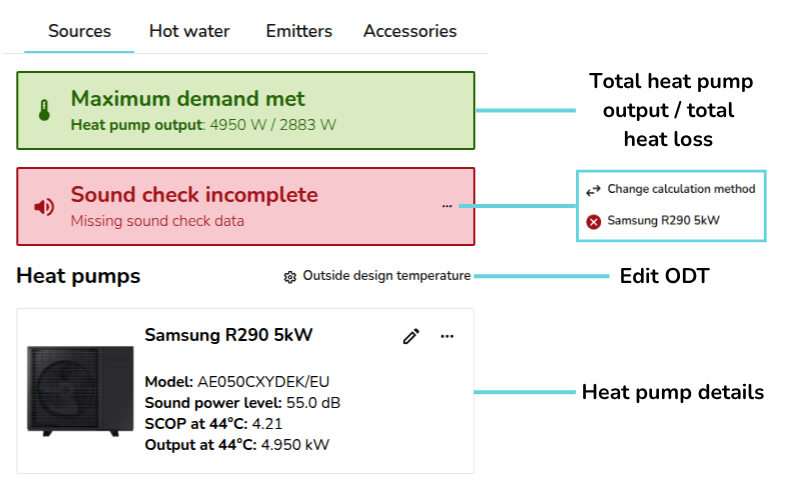
- Total heat pump output / maximum demand
- Sound check information (UK only)
-: choose sound check method and complete sound check for each heat pump - Outside design temperature (ODT) settings
- Details
onof selected heat pumps
Heat pumps
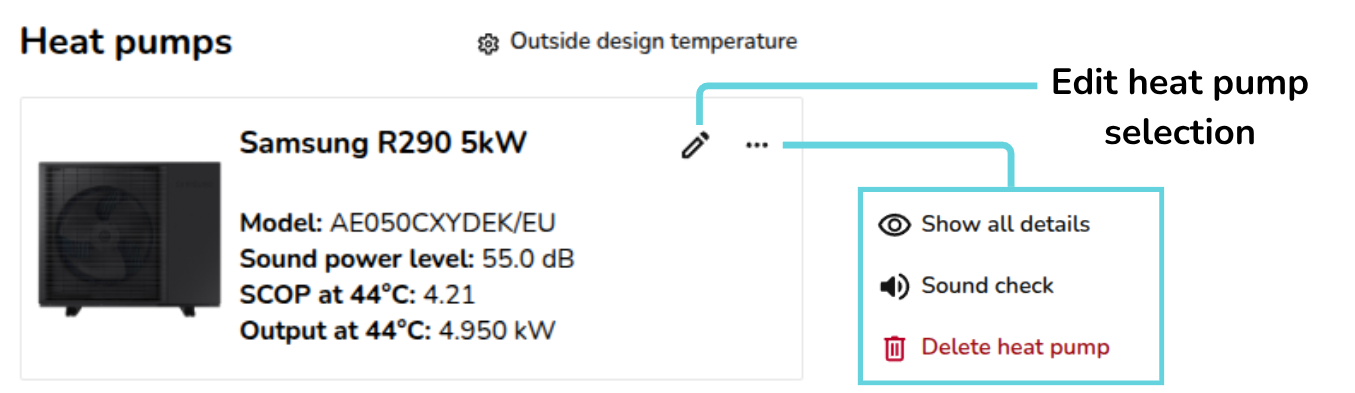
If you would like toTo edit or delete the chosenselected heat pump(s), either delete directly from the design option floor plan or navigate to the Sources tab where you have the following options:can:
 |
Edit heat pump Re-open the heat pump selector menu to change the heat pump. |
|
|
Show all details Show/hide the nominal capacity and ENA registration number. |
|
|
Sound check Complete sound check for this heat pump. Read more about this below. |
 |
Delete heat pump Remove heat pump from this design option. |


For each heat pump, you can see the:see:
- Model
- Sound power level (dB)
- SCOP at flow temperature
- Output at flow temperature
On the heat pump, click ⋯ (three dotsdots) > Show all details to also display the nominal capacity and ENA registration number (UK).
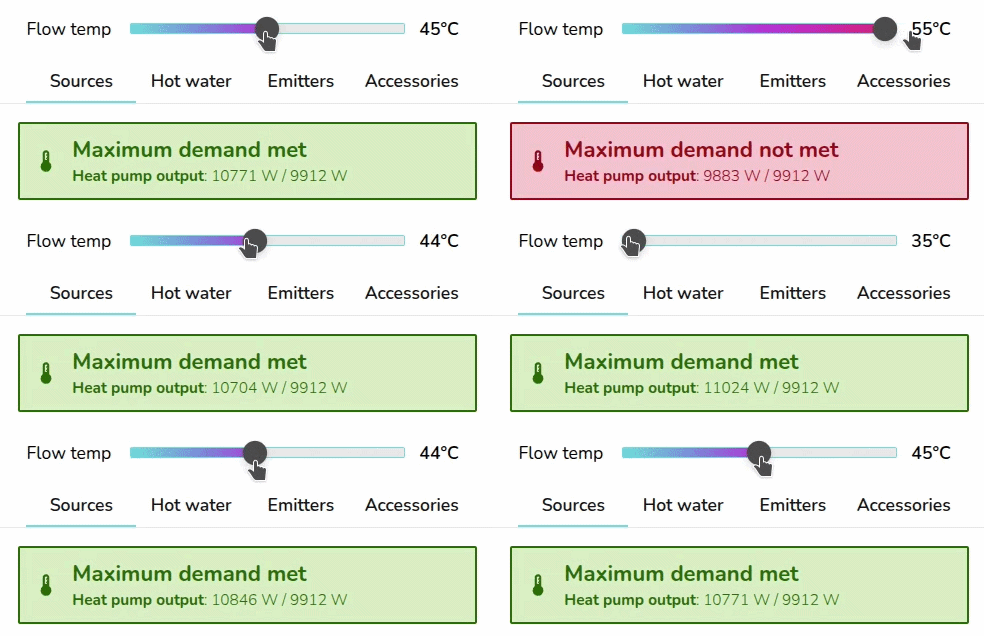
TheAdjust the flow temperature is adjusted at the top of the right-hand sidebar. sidebar:
Completing the sound check (UK only)
Once you have added a heat pump, you can then complete the sound check for that heat pump. On the Sources tab, where it says Sound check incomplete,. clickClick the ⋯ (three dotsdots) and then the name of the heat pump(s) where the sound check hasn't been completed..
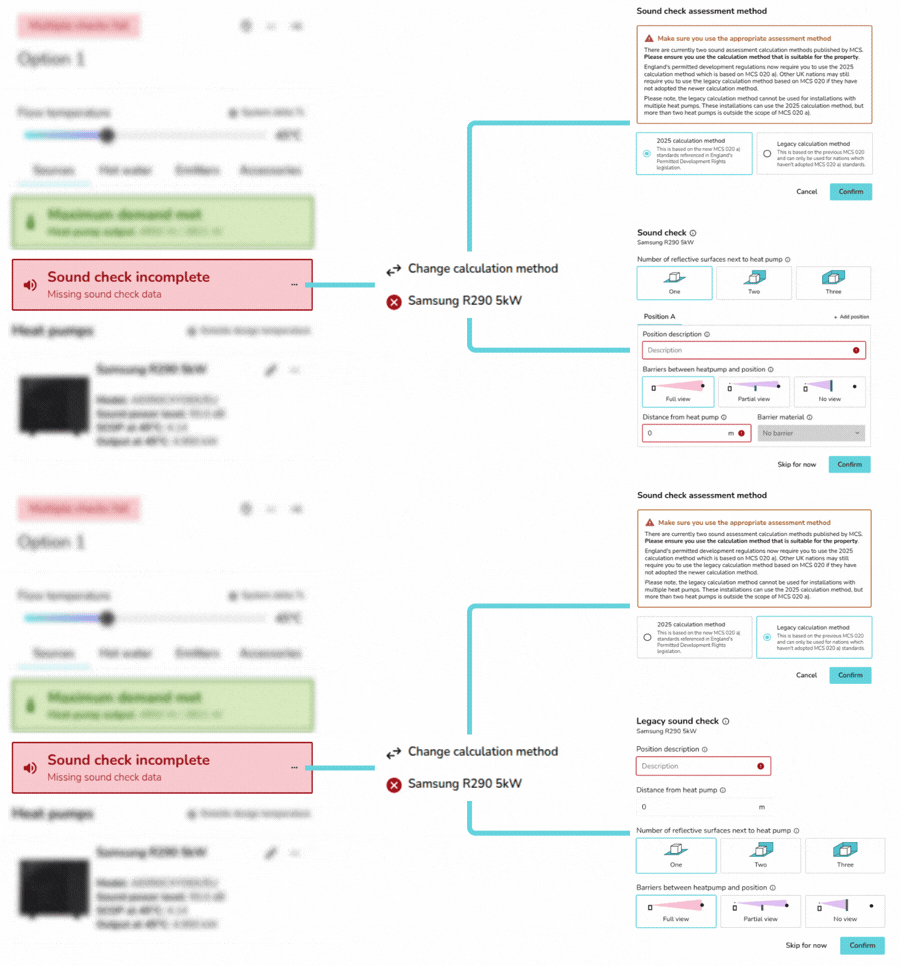
Once you have completed the sound check for all heat pumps in the design option, the result will displaybe displayed in the same section:
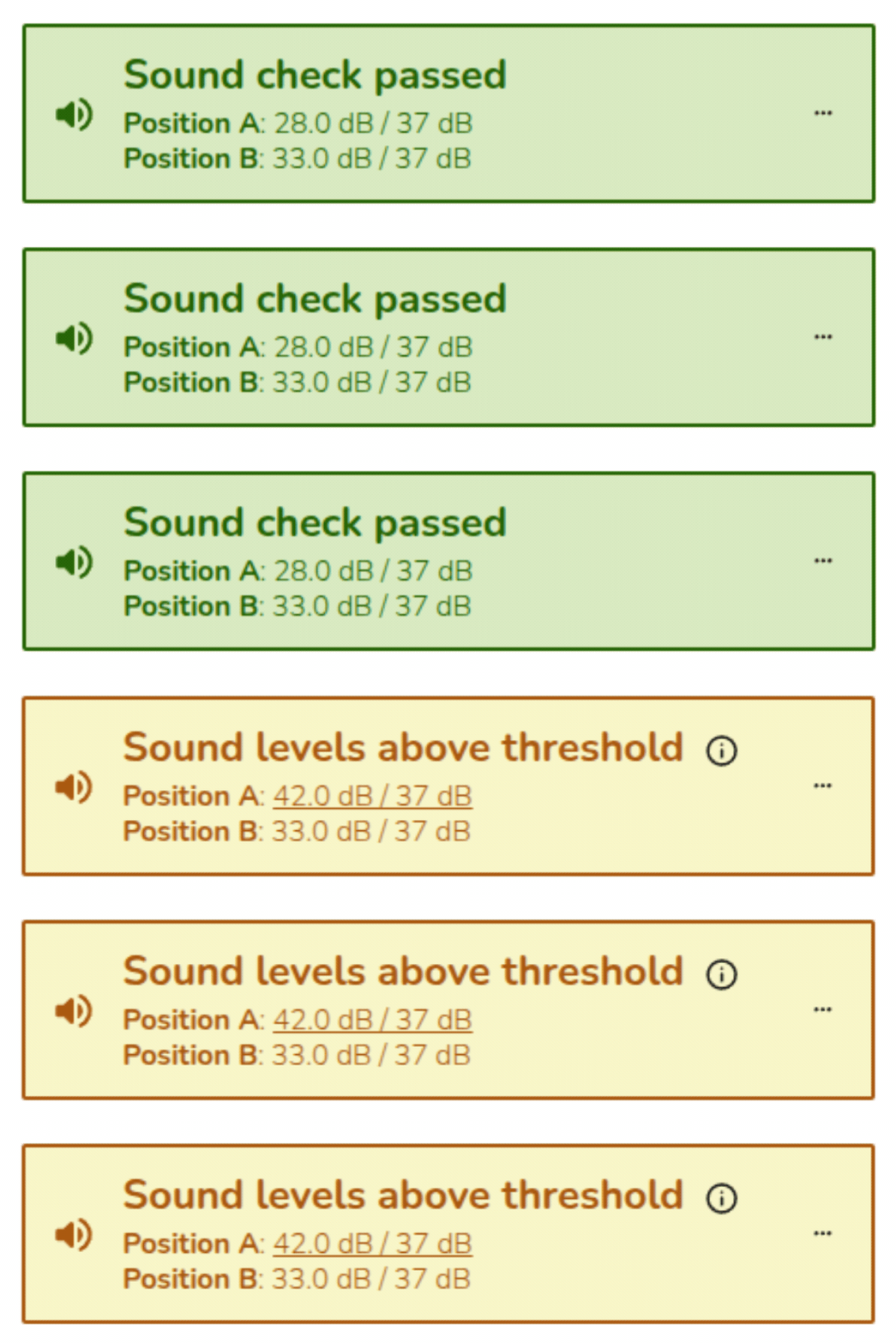
TheSound sound checkchecks on multiple heat pumps can only be completed using MCS 020 a) (2025 method). Read more about the sound check.
Editing ODT settings
To change the ODT for the project, select ⚙ Outside design temperature next to Heat pumps to open this menu::
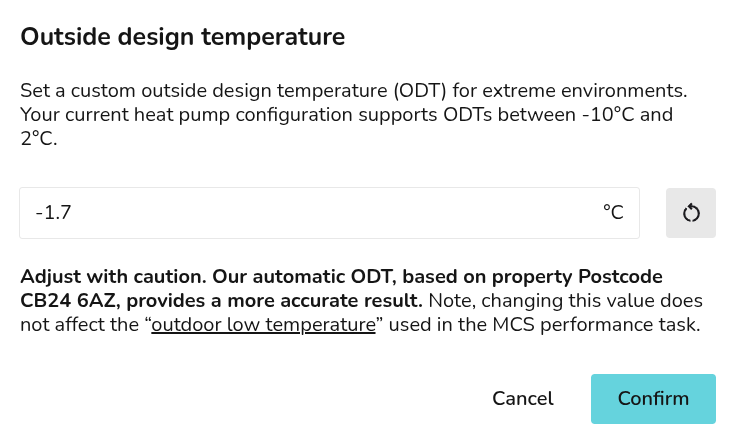
Read more about ODT in Heatpunk.
Take a look at our Plan task guides for more info. If you have further questions, please get in touch on help@heatpunk.co.uk or help@heatpunk.ie.